CGR Labs Day 2: Setting up services for AI inference
 Ciprian · · 5 min read
 What do you do when you want to be part of the local AI gang but can’t afford GPUs? You run CPU inference and hope to hit 10 tokens per second.
Before I start with the namespaces setup, I want to first sort out some quality of life things. First, I’ll set up my local kubectl context so I can run commands from my machine and not have to ssh into the server.
That’s easy enough, after installing kubectl on my machine, we get the config from the remote machine:
sudo cat /etc/rancher/k3s/k3s.yaml

# and then we just paste this into our local config with some minor changes

clusters:
- cluster:
    certificate-authority-data: ...
    server: https://YOUR_SERVER_IP:6443
  name: helsinki-k3s              # ← Cluster name (your choice)

users:
- name: helsinki-admin            # ← User name (your choice)
  user:
    client-certificate-data: ...
    client-key-data: ...

contexts:
- context:
    cluster: helsinki-k3s         # ← References the cluster name
    user: helsinki-admin          # ← References the user name
    namespace: default            # ← Optional default namespace
  name: helsinki                  # ← Context name (your choice)

current-context: helsinki         # ← Which context is active
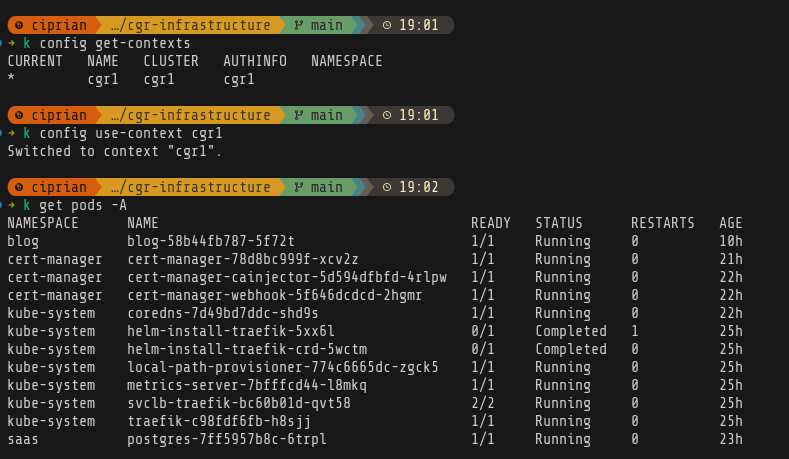
And there we are:
Set up AI inference
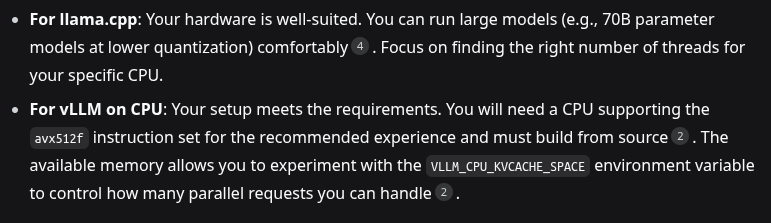
So now we need to get started and first decision is: vLLM vs llama.cpp. I was actually trying to figure this out and was digging through benchmarks, and pros and cons. Then I noticed that my CPU doesn’t have the avx512f instruction so that sorted itself.
Next up, need to decide on the models. I was hoping to run z.ai’s GLM 4.6 but that is way beyond my machine’s capabilities at 357B parameters and 250GB size. So for now I’ll go with something manageable - unsloth/Qwen3-30B-A3B-GGUF. I also want to try out some other models on the experiments namespace but that will come later.
I’ll start with the production namespace. I’ll use a config map to allow for changing the models easily.
apiVersion: v1
kind: ConfigMap
metadata:
  name: llama-config
  namespace: ai-production
data:
  model: "unsloth/Qwen3-30B-A3B-GGUF"
  quant: "Q4_K_M"
  context: "8192"
  threads: "12"
and the llama.cpp deployment
# ai-production-deployment.yaml
# ai-production-deployment.yaml
apiVersion: v1
kind: Namespace
metadata:
  name: ai-production
---
apiVersion: apps/v1
kind: Deployment
metadata:
  name: llama-production
  namespace: ai-production
spec:
  replicas: 1
  selector:
    matchLabels:
      app: llama-production
  template:
    metadata:
      labels:
        app: llama-production
    spec:
      containers:
      - name: llama-cpp
        image: ghcr.io/ggerganov/llama.cpp:server
        args:
          - "-hf"
          - "$(MODEL)"
          - "-c"
          - "$(CONTEXT)"
          - "-t"
          - "$(THREADS)"
          - "--host"
          - "0.0.0.0"
          - "--port"
          - "8080"
        env:
        - name: MODEL
          valueFrom:
            configMapKeyRef:
              name: llama-config
              key: model
        - name: CONTEXT
          valueFrom:
            configMapKeyRef:
              name: llama-config
              key: context
        - name: THREADS
          valueFrom:
            configMapKeyRef:
              name: llama-config
              key: threads
        ports:
        - containerPort: 8080
        resources:
          requests:
            cpu: "12"
            memory: "80Gi"
          limits:
            cpu: "12"
            memory: "128Gi"
        livenessProbe:
          httpGet:
            path: /health
            port: 8080
          initialDelaySeconds: 300
          periodSeconds: 30
        readinessProbe:
          httpGet:
            path: /health
            port: 8080
          initialDelaySeconds: 240
          periodSeconds: 10
---
apiVersion: v1
kind: Service
metadata:
  name: llama-production
  namespace: ai-production
spec:
  selector:
    app: llama-production
  ports:
  - port: 8080
    targetPort: 8080
  type: ClusterIP
Forgot to add the namespace but that’s ok, it will be created automatically.

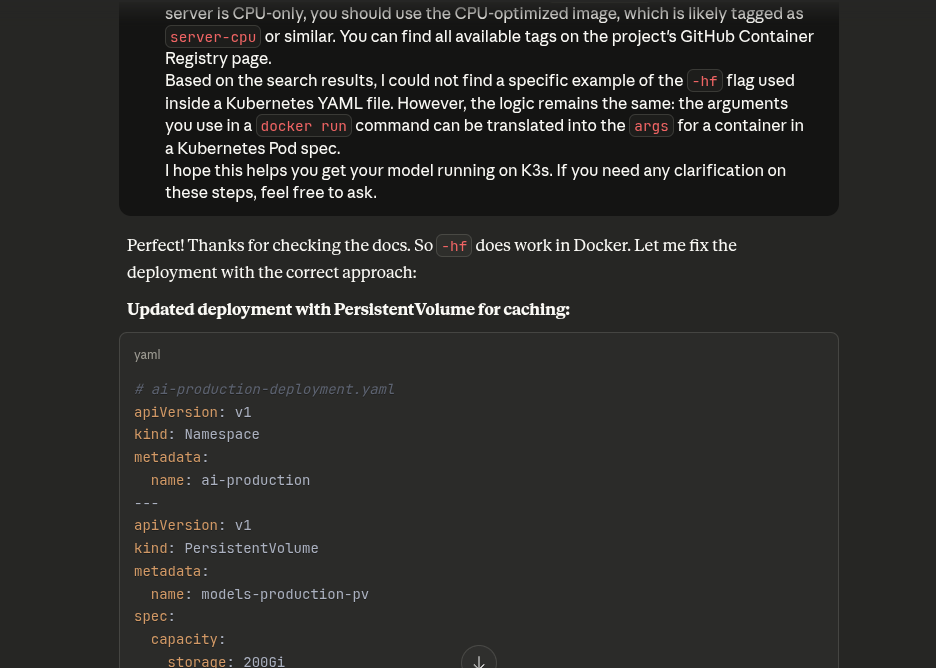
Side quest because Claude assumed it didn’t make a mistake and I almost believed it
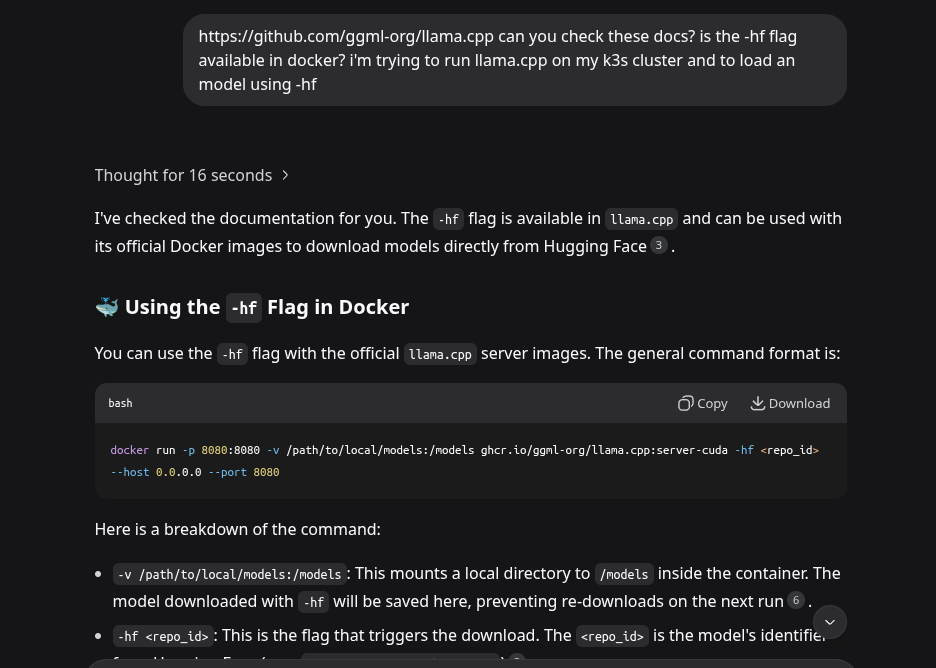
The initial deployment configuration was wrong and many times Claude will not actually browse a website to get information from it - as was the case right now
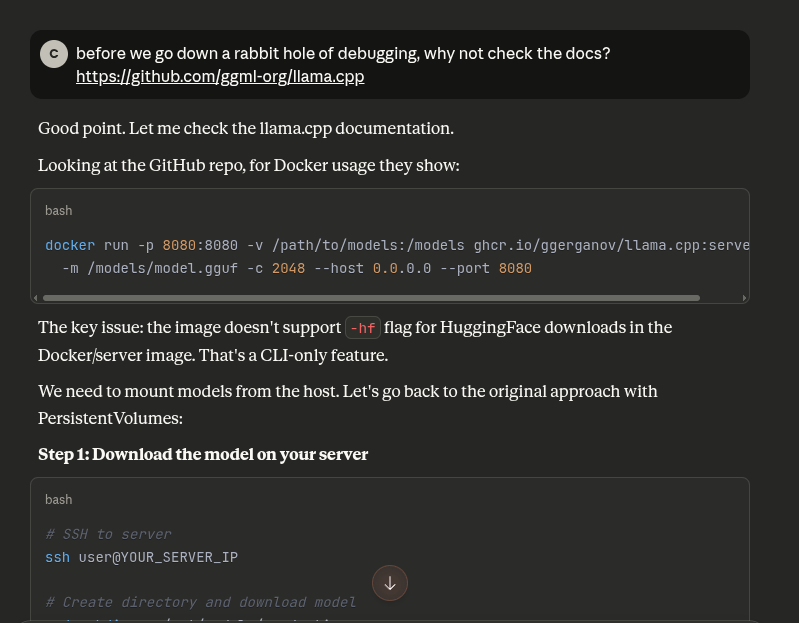
I’ve learned my lesson and now I just search for the docs myself. But sometimes it’s fun to also pit models at each other.
Moving on
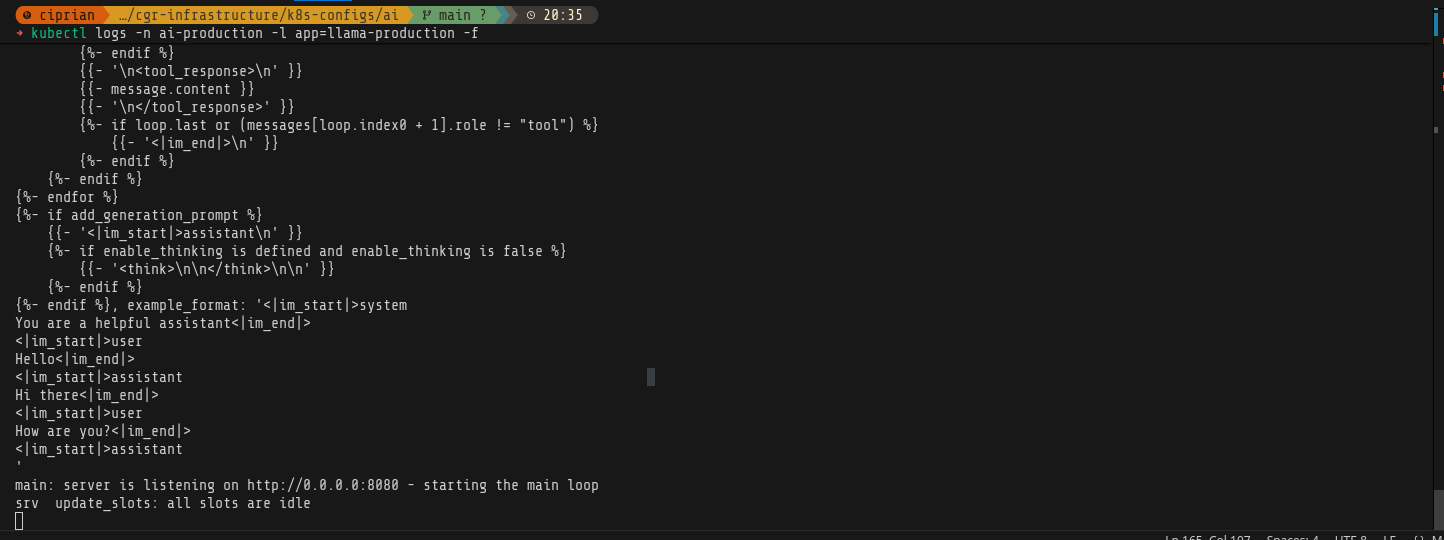
After a lot of back and forth, because I still tried to run GLM 4.6, our model is downloaded and running.
Time to test it
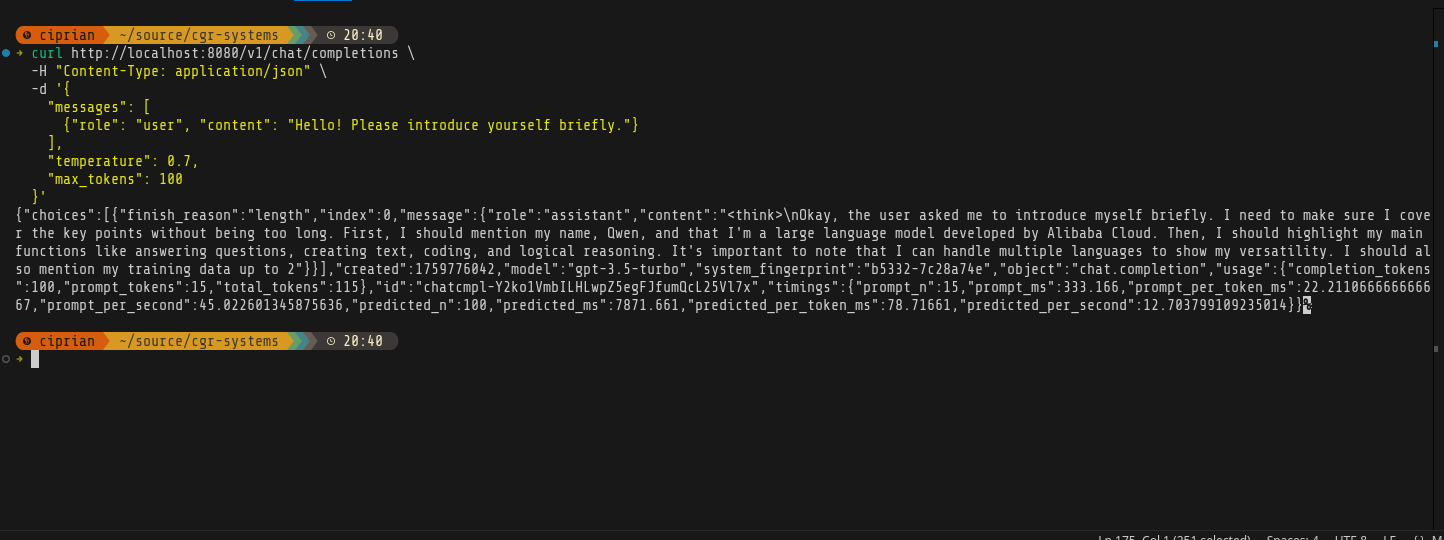
kubectl port-forward -n ai-production svc/llama-production 8080:8080

# In another terminal, test it
curl http://localhost:8080/v1/chat/completions \
  -H "Content-Type: application/json" \
  -d '{
    "messages": [
      {"role": "user", "content": "Hello! Please introduce yourself briefly."}
    ],
    "temperature": 0.7,
    "max_tokens": 100
  }'
A thing of beauty!
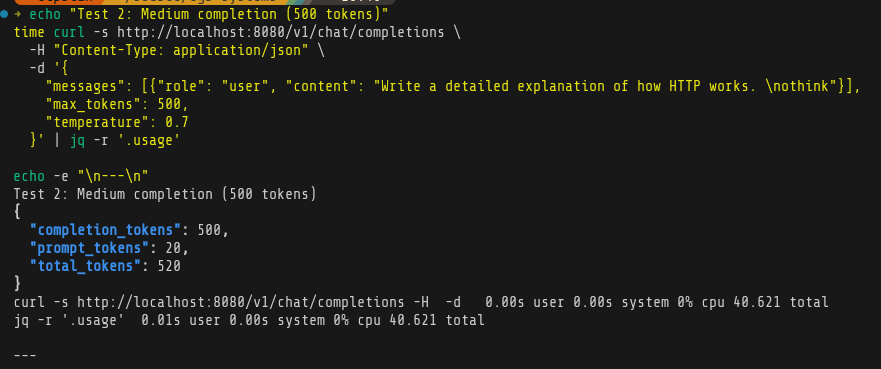
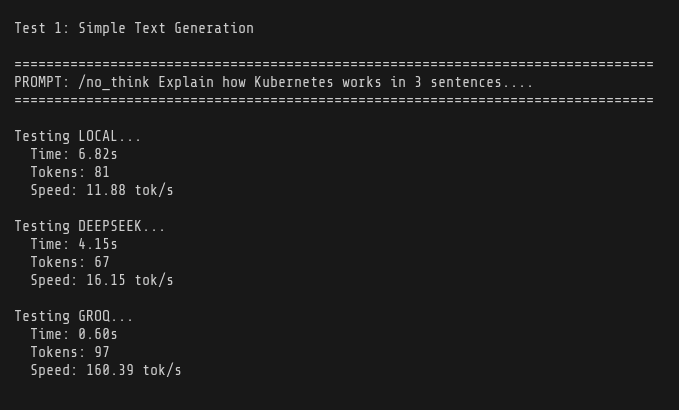
And some simple benchmarks:
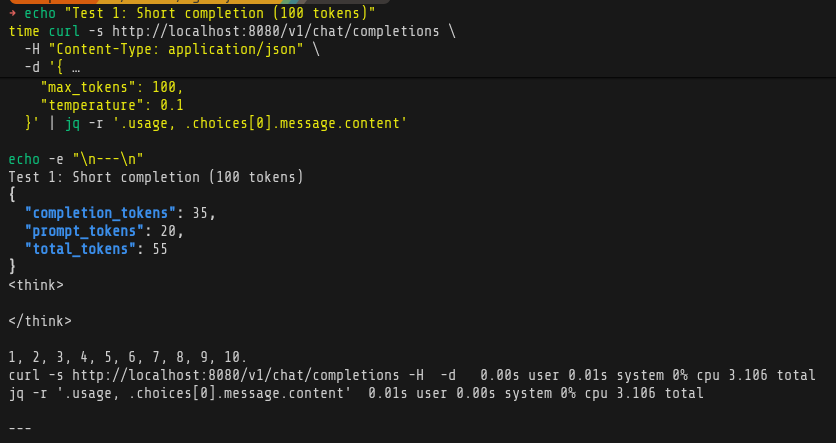
Comparing to Deepseek and Groq - I ran out of tokens on both of them after test 1, so there’s the main benefit on local LLM.
Conclusion
I’m happy with the progress today, I think there’s room for improvement - I need to spend some more time on figuring out optimization and better models. ~11 tokens per second is really decent considering it’s all running on CPU and RAM.
I’m still going to use models like Groq for conversational agents where I want fast responses, but a lot of things happen in the background and sometimes even without a user being there, so for that purpose, this kind of inference performance will be pretty good - and basically free.
Next steps
Still need to set up the experiments namespace. Before that I’ll do the monitoring part so I see exactly how far I can push the production deployment. After that I’ll start hosting apps and continue trying things out.